Web & Software Development / Field guide
The Complete Guide to Building a Website with AI (2026)
 Mark
Published · Updated
Can AI build your business website? An agency that builds with AI every day shows what AI does well, where it fails, the three routes, real prices and timelines, and an 8-point launch checklist.
Can AI really build a website in 2026?
Yes, AI can build a working website. It usually can't build a finished business website on its own.
You can type a sentence into an AI tool and get a working homepage before lunch. Yet many AI-built sites never launch, or launch and bring in no customers. The reason is simple: AI is very good at the first 80% of a website and unreliable at the last 20%, and that last 20% decides whether a site wins clients.
- Page layouts and sectionsSeconds instead of hours
- Boilerplate codeThe biggest time saving
- First-draft copyFast, but generic until edited
- Visual designAI suggests, a designer fits it to the brand
- DeploymentEasy to launch, easy to misconfigure
- What the site should say to win customersNeeds knowledge of your market
- Security reviewAI code often exposes keys or skips validation
- Accessibility and speed testingNeeds real devices and judgement
- Forms, CRM, payments, analyticsMust be tested end to end
← fast and cheapdecides the result →
Based on our own builds, not an industry survey. The right-hand column is what decides whether a site wins customers.
What "building with AI" actually means
"AI website builder" covers three quite different kinds of tool. The difference that matters most isn't features. It's how much freedom you keep, and how hard it is to leave later.
- Examples
- v0, Lovable, Bolt
- Good for
- Prototypes, simple apps, testing an idea in a day
- Limits
- You work inside the tool’s limits; quality of the code varies
- Examples
- Claude Code, Cursor, GitHub Copilot
- Good for
- Fully custom sites built much faster
- Limits
- Someone technical has to direct and review
- Examples
- Wix, Squarespace, Framer
- Good for
- Easiest start, no code at all
- Limits
- Still a template site; hardest to move away from
"Lock-in" = how hard it is to take your site elsewhere later. Tools change fast; check export options before you commit.
At Lucent we use AI coding agents for most builds. They cut the time spent on repetitive code, which is why our timelines are measured in weeks, not months. Every page still goes through a person for design, review and testing before launch.
The 3 ways to build a website with AI
The real decision isn't which AI tool to use. It's who drives it: you, an agency that builds with AI, or a traditional developer.
- Typical cost
- Monthly subscription
- Time to launch
- Days, if you have the time
- Customisation
- What the tool supports
- Your time
- High: you build it
- Code ownership
- Depends on the tool’s terms
- Marketing built in
- Basic
- Best for
- Testing an idea, simple sites
- Typical cost
- One-time fee (Lucent: from $650)
- Time to launch
- 2–10 weeks
- Customisation
- Fully custom
- Your time
- Low: brief and feedback
- Code ownership
- Yours, if agreed in writing
- Marketing built in
- Can include SEO, ads, CRM
- Best for
- A custom site in weeks, without DIY
- Typical cost
- Usually the highest one-time fee
- Time to launch
- Weeks to months
- Customisation
- Fully custom
- Your time
- Low: brief and feedback
- Code ownership
- Yours, if agreed in writing
- Marketing built in
- Usually separate
- Best for
- Complex systems, strict compliance
We are an AI-assisted agency, so weigh our view accordingly. The DIY route is genuinely the right choice for many first sites.
A DIY builder makes sense for simple sites, personal projects and testing an idea. It makes less sense once the site has to take payments, connect to other software or rank on Google, because that's exactly the part AI tools don't finish for you.
Choosing a tool: three questions
The tool matters less than whether its output can grow with your business. Before you commit to any tool or provider, get clear answers to these:
- Can I export the code or move the site if I leave? If the answer is "no" or "it's complicated", you're renting, not owning.
- Can it connect to the tools I already use? CRM, payments, booking, email, analytics. Test one integration before building the rest.
- Who fixes it when something breaks? With DIY tools, that's you. With an agency, get the support period and response time in writing.
Step by step: how an AI-built website comes together
AI speeds up the building steps. Skipping the planning and testing steps is the most common reason AI sites fail. This is the process we follow at Lucent:
- 1Goal
Who the site is for, what they should do, how success is measured
- 2Structure
Pages and the path from first visit to enquiry
- 3DesignAI speeds this up
AI suggests options fast; a designer fits them to the brand
- 4BuildAI speeds this up
AI agents write most of the code under a developer’s direction
- 5Review & test
Security, accessibility, speed, mobile, every form
- 6Content & SEOAI speeds this up
Final copy, titles, structured data, tracking
- 7Launch & handover
Analytics live, training on how to update the site
The steps people skip with DIY tools are the unmarked ones, and they are the most common reason AI sites never bring customers.
Notice that AI accelerates three of the seven steps. The other four are where the site's purpose, quality and trustworthiness are decided, and they take roughly the same time with or without AI.
What it costs and how long it takes
For most small businesses, an AI-assisted custom website costs hundreds to low thousands of dollars and takes 2 to 10 weeks. Here's what Lucent's starting packages include:
- Up to 7 sections
- Lead capture forms
- Technical SEO
- Launch QA
- Up to 7 custom pages
- Editable CMS
- Structured data
- 30-day defect warranty
- User accounts + database
- Stripe billing
- Dashboard
- Deployment + docs
- Hosting and domain (yearly)
- Paid tools, plugins, fonts
- Original copy and photography
- Integrations beyond the agreed scope
- Ongoing maintenance and updates
Starting prices as of November 2026. Final quotes depend on scope.
When you compare quotes from any provider, check these before price:
- What's included in launch QA? Security, accessibility, speed and form testing should be named, not implied.
- Who owns the code and the domain? Both should be yours.
- How many revision rounds? Unlimited usually means undefined.
- What happens after launch? A defect warranty period and who handles updates.
AI lowers the cost of building. It doesn't remove the cost of deciding.
Where AI still falls short, and how to spot it
Most problems in AI-built sites are invisible to the founder until they cost money: a form that silently fails, a page Google never indexes, a key that leaks. These are the gaps we see most often when clients bring us an AI-generated site, with a check you can do yourself in a couple of minutes.
API keys in the code, forms accept anything
2-minute checkSearch the code for "key" and "secret"
FixCode review against the OWASP Top 10
Missing labels, low contrast, keyboard traps
2-minute checkTry the whole site with Tab only
FixA pass against WCAG 2.2
Huge images, extra scripts
2-minute checkPageSpeed Insights, mobile tab
FixCompress images, cut scripts, test Core Web Vitals
Same title on every page, no structured data
2-minute checkLook at the browser tab title on 3 pages
FixTechnical SEO set up at build time
Copy that could belong to any company
2-minute checkSwap in a competitor’s name: still true?
FixHuman-written positioning and real proof
Forms that never reach you
2-minute checkSubmit every form yourself
FixEnd-to-end test of every form and payment
Patterns from sites clients bring us, not industry-wide figures.
None of these require starting over. They require someone to look for them before launch, which is exactly the step DIY tools make easy to skip. The reference standards for the security and accessibility checks are the OWASP Top 10 and WCAG 2.2.
Turning an AI prototype into a launch-ready site
If you already have an AI-built prototype, you don't have to start over, but you do need to check it properly. Go through these eight points before you show it to customers or spend money sending traffic to it:
- 1Unique title, description and one H1 per pageHow: Browser tab + view source
- 2Every form reaches the right inbox or CRMHow: Submit each one with a test name
- 3Loads fast on a phone over mobile dataHow: Turn off Wi-Fi and open it
- 4No keys or passwords visible in the codeHow: Ask your developer to confirm in writing
- 5Alt text on images, readable contrastHow: Free WAVE browser extension
- 6Analytics and conversion tracking installedHow: Submit a form, see it in analytics
- 7You can export or move the codeHow: Find the export option, or the repo access
- 8Privacy policy and cookie consent fit your marketHow: EU visitors? Consent before tracking
If more than two fail, fix them before running any ads. Paid traffic to a broken form is the most expensive way to find a bug.
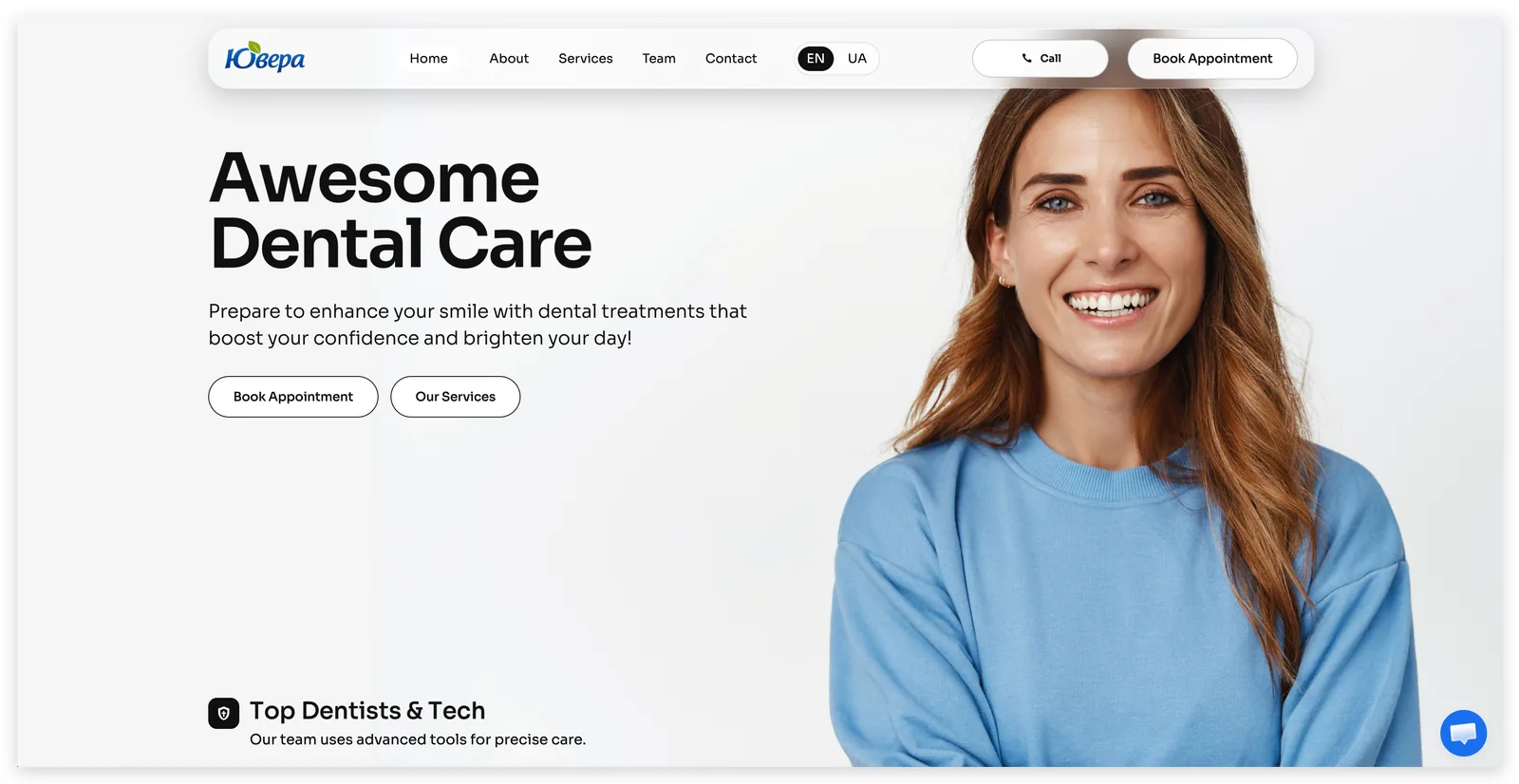
We built the website and paired it with Facebook ads from day one: pages, forms and tracking were all built around one goal, patient enquiries.
Read the case study →How to choose: five questions for founders
Answer these honestly. Your answers point to the route, not to a tool.
Mostly left column: start with a DIY builder. Mostly right: an AI-assisted agency is likely the better fit. Strict compliance or a complex system: talk to a traditional developer.
Whichever route you choose, agree in writing that you own the code and the domain, and plan how the site will bring customers (SEO, ads, tracking) before it launches, not after.
Key takeaways
- AI builds the first 80% of a website quickly. The last 20% (message, security, testing, integrations) decides whether it wins customers.
- Choose the route (DIY builder, AI-assisted agency or traditional developer) before choosing a tool.
- Check lock-in: can you export the code and move the site?
- AI-built sites can rank on Google, because Google rewards helpful content however it's made, but they often skip technical SEO.
- Run the eight launch checks before sending any paid traffic to an AI-built site.